

WebRTC lets a website use browser communication features for real-time media and data. In customer support, that means a visitor can move from a text question to a voice or video call without installing a separate meeting client. The browser still needs permission to capture devices, and the application still needs services that arrange and authorise the conversation.
Understanding the layers helps you diagnose failures. A visible local camera preview, a connected signalling socket and a working remote video are different observations. None should be used as a shortcut for all the others. This guide explains those distinctions through the actual AddFreeChat workflow rather than promising that browser calling works everywhere automatically.
Start with the application and the authorised conversation
The website embed identifies a configured public website. AddFreeChat verifies the website origin and supplies scoped visitor credentials for a conversation. The support user signs in through the dashboard with the permissions assigned to that website. Those application checks decide who can participate; WebRTC does not replace them.
Text chat can work before a call starts. It provides a way to ask whether a call would help, explain device access and continue if the visitor declines. The private account key is not a call invitation code and must not appear in public HTML or messages. Keep application authentication separate from the browser’s camera permission.
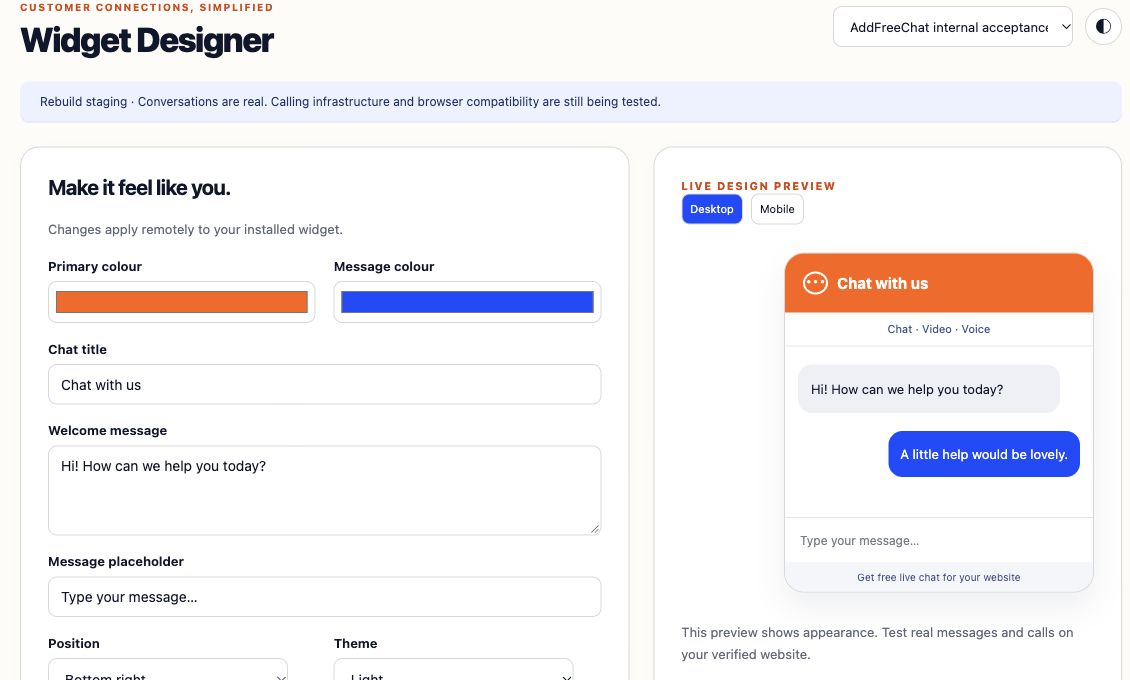
In Widget Designer, the owner chooses which communication channels the website offers. Turning on Video calling makes that channel available; it does not itself activate anyone’s hardware. A participant still starts or accepts the relevant action and deals with the browser’s device prompt.
Capture is local until media is exchanged
A camera or microphone stream begins with the browser obtaining permission and access to the selected device. The local preview shows what that browser is capturing. If the preview is blank, investigate device choice, permission and capture errors before assuming the network relay is at fault.
A local device test is useful because it can isolate capture from a remote call. In AddFreeChat, the local test is described as local and does not place a call. End an existing call before starting a separate device test, and confirm that the device activity stops when the test ends.
Capture quality is a separate choice from connection success. A lower video resolution may be more practical for a slow link or a modest device. Select a suitable level for the task rather than treating the largest image as the only acceptable result. For many support questions, clear speech matters more than a highly detailed face view.
Signalling arranges the call
Before two browsers exchange useful media, they need to agree on a session and exchange connection information. The application carries those setup messages through its signalling service. This is different traffic from the actual audio and video stream, even when the same user interface displays both stages.
In AddFreeChat, signalling is authenticated and tied to the authorised conversation. An unrelated visitor should not gain access merely by guessing another room identifier. The application must check that boundary before forwarding a call offer or other setup information. A network connection alone does not establish permission to join every conversation.
If the interface never receives a call invitation, inspect the application and signalling stage. If an invitation arrives and is accepted but no remote media appears, look next at capture, connection negotiation and playback. Naming the failed stage gives support a much more useful report than saying only “video is broken.”
ICE searches for a usable path
Participants can sit behind home routers, office firewalls or mobile-network address translation. ICE is the standardised process used to explore possible connectivity between them, with STUN and TURN as relevant mechanisms. It is a network-path problem, separate from which microphone a person selected.
A direct path can avoid carrying the media through a relay, but it is not guaranteed. The path depends on both networks and their restrictions. Changing from office Wi-Fi to a phone connection can therefore change the result even when the browsers and website code remain the same.
Do not ask an ordinary visitor to open inbound router ports or disable a corporate firewall to use support chat. Offer a fallback and gather a minimal diagnostic description. A different permitted network can be a useful comparison during troubleshooting, but it should not become a demand to weaken the visitor’s environment.
TURN provides a relay when needed
A TURN service gives the browsers a relay path when direct communication is not suitable. AddFreeChat uses authenticated, temporary call credentials for its relay. The visitor does not need to receive a permanent relay password, and that infrastructure credential is different from the dashboard access key.
Relaying consumes server bandwidth and depends on reachable network services. It improves connectivity options but does not guarantee success on every restrictive network. A deployment that supports one relay transport should not advertise every possible transport or universal firewall compatibility without testing those paths.
The relay is not a recording service. WebRTC’s media security protects the traffic between the participating endpoints, while the relay forwards it. That fact does not make every part of the application end-to-end encrypted: stored text, private notes and account records have their own application-level handling and access rules.
Connected transport and audible playback are different
A browser may receive media while autoplay policy or a muted playback control prevents the person from hearing it. A moving remote picture establishes a different result from audible speech. Check the remote element, playback state, selected output device and mute controls before repeatedly starting new calls.
The AddFreeChat demo deliberately keeps playback muted by default when both test panels run on one computer, helping avoid feedback. Its generated video test uses a silent audio track. Those choices make a safe connection demonstration, but they are not evidence that a real headset microphone and speaker work together.
For real acceptance, use separate devices with consenting participants. Ask each person to say a short harmless phrase and confirm receipt. Check microphone mute and clean hangup. Record the results individually so that an incomplete audio test is not hidden behind a successful video label.
Screen sharing and files use related capabilities, with distinct rules
Screen sharing is a separate browser-mediated capture action. A participant chooses what to share, and support varies by browser and device. It should not start silently as a side effect of opening a chat. The product’s supported screen-share control belongs inside an established call workflow.
Browser-to-browser file sharing uses a data channel and recipient acceptance. In AddFreeChat, chat-file uploads to server storage are disabled; temporary transfer copies live in browser memory and expire. A relay may still transport the encrypted data, so “no server file storage” should not be confused with “no server network traffic.”
A useful troubleshooting sequence
Check the website and conversation first, then device capture, invitation delivery, network connection, remote playback and cleanup. Preserve text as the fallback throughout. A report naming the browser, device, network type and last successful stage is more actionable than a screenshot of an unanswered call button.
WebRTC supplies important communication and security mechanisms, while the surrounding application supplies authorisation, user choice and operational reliability. Keeping those responsibilities clear helps you assess a website calling service without treating a single successful demo as a guarantee about every customer environment.
References and review notes
Platform instructions reviewed on 27 November 2026. Builder-specific steps follow the linked official documentation and still require testing on your own published site.